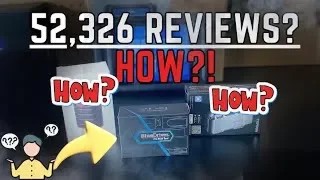
If you’re on the hunt for an OBD2 scan tool to troubleshoot vehicle issues, you’ve probably come across BlueDriver—a popular Bluetooth-enabled diagnostic tool that pairs with your smartphone. Marketed as a versatile, user-friendly, and app-driven tool, it aims to simplify car diagnostics for both Android and iOS users. But does it live up to the hype? Let’s dive into the details, from its features to its limitations, and see if it’s the right tool for you.
Watch the full video HERE.
What Is the BlueDriver?
The BlueDriver is a compact Bluetooth OBD2 scanner that connects to your vehicle via its OBD2 port. It uses an app (available for iOS and Android) to provide diagnostic information and features such as reading and clearing codes, checking vehicle emissions monitors, and even accessing technical service bulletins (TSBs).
Unboxing and Setup
Out of the box, the BlueDriver is small and straightforward. It comes with:
- The Bluetooth OBD2 device
- A quick-start manual
- A sticker for branding enthusiasts
The rest of the functionality is app-driven, which simplifies the hardware while relying heavily on your phone. Connecting the device is as easy as plugging it into your car’s OBD2 port—typically found in the driver’s side footwell—and downloading the app. Once connected, the app interface allows you to begin diagnostics.
Key Features
Here’s a closer look at some of the main features of the BlueDriver:
1. Reading and Clearing Codes
The app offers the ability to read and clear error codes, including:
- Engine trouble codes
- Airbag codes
- Emissions-related codes
During testing, the BlueDriver successfully cleared most codes, except for “permanent codes,” which require driving cycles to reset.
2. Emissions and Smog Check
One of the standout features is the Smog Check, which visually shows which monitors are incomplete and whether your car is ready for an emissions test. This is particularly useful for those preparing for a state inspection.
3. Freeze Frame Data
Freeze Frame Data records the exact conditions (e.g., speed, RPM) under which a code was triggered. This helps users pinpoint the root cause of an issue.
4. Technical Service Bulletins (TSBs)
The BlueDriver provides access to TSBs, offering insights into common issues specific to your vehicle model. However, this feature didn’t always function seamlessly during tests.
5. Maintenance Schedules
While the BlueDriver includes a maintenance schedule feature, it often fell short, with incomplete or inaccurate information during testing.
6. Live Data and Mode 6 Data
The device supports live data monitoring for parameters such as vehicle speed and RPM. Mode 6 provides raw data to troubleshoot specific issues, like incomplete oxygen sensor monitors.
7. Customer Support
Despite claims of 24/7 support, multiple attempts to contact live chat and phone support were unsuccessful, casting doubt on the reliability of this advertised feature.
Where the BlueDriver Falls Short
Despite its array of features, the BlueDriver has notable limitations:
1. No Bidirectional Control
The BlueDriver cannot send commands to the vehicle, such as testing window motors or disengaging electronic parking brakes. This makes it less capable than more advanced scan tools, which can assist in deeper diagnostics and repairs.
2. Slow Scanning Speed
Compared to other scan tools, the BlueDriver is slow when scanning all vehicle systems. Users reported waiting significantly longer for results, which can be frustrating.
3. Limited Compatibility
While it works well with most vehicles, some users found compatibility issues, particularly with older or high-end European models like Mercedes-Benz pre-2005.
4. Lack of Graphing
Unlike more advanced tools, the BlueDriver doesn’t support real-time graphing of live data. This limits its usefulness for detailed diagnostics.
5. Aging Hardware
The BlueDriver has been on the market since 2011, and its hardware hasn’t seen significant updates. As a result, it feels outdated compared to newer, more powerful tools.
Is It Worth the Hype?
The BlueDriver is marketed as an all-in-one tool, but in reality, it functions more like a glorified OBD2 reader. While it shines in areas like emissions monitoring and code clearing, it falls short in more advanced diagnostic capabilities. If you’re looking for a true scan tool, particularly one with bidirectional functionality, the BlueDriver may not meet your expectations.
Who Should Buy the BlueDriver?
- Casual Users: If you only need basic diagnostics, such as checking a check-engine light or preparing for a smog test, the BlueDriver is a good option.
- DIY Enthusiasts: It’s an affordable, user-friendly tool for those who don’t need advanced functions like bidirectional controls.
Who Should Avoid the BlueDriver?
- Advanced Users: Mechanics and serious DIYers will find the lack of bidirectional functionality and graphing limiting.
- Vehicle Owners with Complex Systems: For vehicles with electronic parking brakes or advanced diagnostics needs, other tools are more suitable.